This post contains affiliate links. If you buy through one, we may earn a commission at no extra cost to you. It never changes what we recommend.
Preparedness without bulk: the smallest, smartest carry beats noisy pockets.
At a café table with a dying phone and a pocket full of jangling dongles, the tradeoff between readiness and bulk becomes obvious. Common nuisances—dead batteries, brittle adapters, lint-clogged ports and privacy noise from unnecessary devices—add friction to ordinary days. A short, intentional checklist replaces guesswork: prioritise power, durability, and containment, and leave the rest at home.
- Limit essentials to three items: power, cable, organizer
- Use a short cable (≈5–6 inches) to avoid tangles
- Choose a GaN charger for high power in a small block
Three pocket-ready essentials

![Rixmie Short USB-C Cable [5 inch], 100W PD Fast Charging, 20Gbps Data Transfer, USB C to USB C Short Cable, Thunderbolt 3 for iPhone 17, MacBook, Android Auto, External SSD and More Type-C Devices](https://m.media-amazon.com/images/I/61l9g-Iu+aL._SS520_.jpg)

A quick decision framework
Name the three core needs—power, connectivity, and utility/protection—in your EDC tech checklist, then rank them by daily importance.
Key checks before committing to an item:
- Compatibility: ports, plug direction, PD/fast‑charge protocols, and device voltage/current limits. Prefer devices that match the lowest common denominator across frequently used kit.
- Failure modes: identify what can fail (broken cable, drained battery, lost dongle) and what the immediate consequence would be.
Decide multi-function versus redundancy using a simple trade-off test:
- If a capability is mission critical, favor redundancy (spare cable or small power bank) to avoid a single point of failure.
- If space is the limiting factor and the capability is occasional, favor a multi-function unit (multiport charger, combo cable).
Quick checklist: rank needs and confirm compatibility.
Identify likely failures and document them in an EDC tech checklist.
Then choose multi-function for occasional use and redundancy for critical reliability.
Power tradeoffs: tiny PD bricks vs pocket GaN
Carrying the smallest charger that actually meets needs starts with honest device ranking: which device must top up quickest, and which can wait. Gallium nitride (GaN) enables much higher power in a tiny package, but higher wattage still means a heavier, slightly larger brick and more heat under load.
Typical watt ranges and what they mean
- ~18–30 W — phone-first: fast for most phones and small tablets; great for a single-device pocket charger. See the practical picks for the smallest phone-focused PD bricks in the compact PD charger guide.
- ~30–45 W — crossover range: charges larger tablets and some ultra-portable laptops slowly; useful when occasional laptop topping is needed.
- ~45–65 W — laptop-capable: reliably tops up many lightweight laptops and runs heavier phones at max speed. Modern GaN designs make this range pocketable for travel.
Accept slower charging when the session is a top-up (e.g., midday boost), during overnight charging, or when battery longevity and weight savings are priorities. If simultaneous charging is common, remember total-output specs matter: dual-port designs split wattage, reducing per port speed.
Decide in three quick steps: rank devices by criticality and check each USB-C PD input rating.
Then choose the smallest charger that meets the highest wattage with headroom for multi-port use.
For thermal safety and real-world reliability, pair that choice with protective designs in the guide.
When the goal is one charger for phone and laptop, read the GaN primer.
See the EDC tech checklist for details.
If daily use is phone-only and charging is usually overnight or opportunistic, accept a lower-watt PD brick to save pocket space and weight. For mission‑critical laptop use, choose higher-watt GaN instead.
Compact dual‑port GaN for phone and light laptop
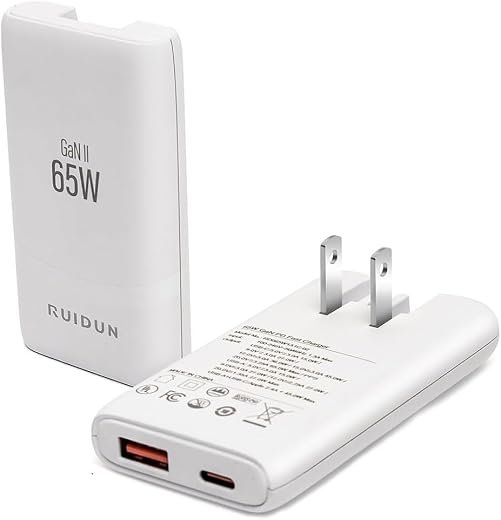
A compact GaN wall charger offering up to 65W from its USB‑C port and a secondary USB‑A port for legacy devices. Notably thin (about 0.55″) and smaller than a credit card, it supports PD 3.0 and QC 4.0 profiles and is designed to charge a laptop and phone simultaneously while reallocating power between ports. Use it when a single pocketable brick must cover both modern phones and lighter notebooks.


Cables and small connectors
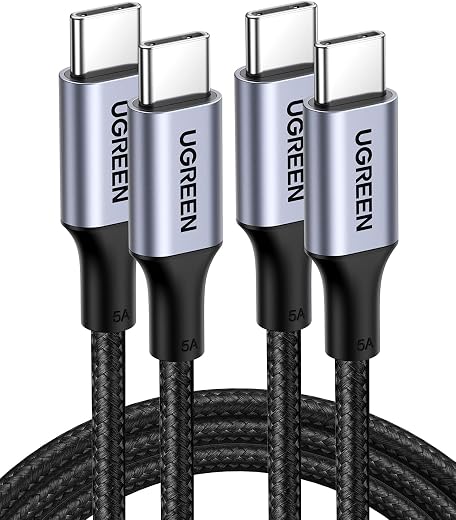
Carry a single short USB‑C cable rated for PD and data when possible: a 5–8 inch cable with an E‑marker and 5A/100W capability handles laptop charging, fast phone PD, and high speed file transfer. For guidance on ideal lengths, consult the short cable length guide.
Compare three small-adapter styles:
- Magnetic tips: fast to attach, reduce wear from yanks; many do not pass full data or high wattage — check signal and power specs and read the magnetic cable safety explainer.
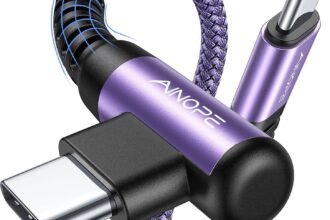
- Right angle plugs: bulk stays flush with the pocket and can reduce bending; their stress shifts are examined in the right angle cable analysis.
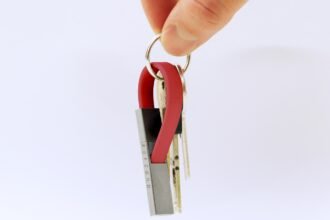
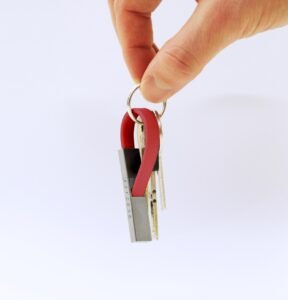
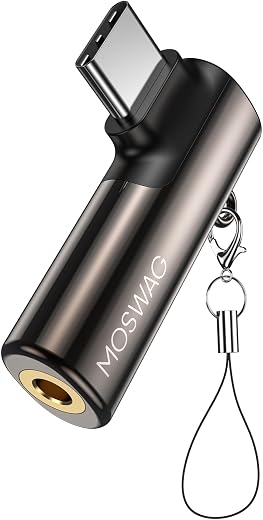
- Keychain dongles: tiny adapters for audio or USB can live on a ring, but expect exposed connectors; see real options in the tiny dongle review.
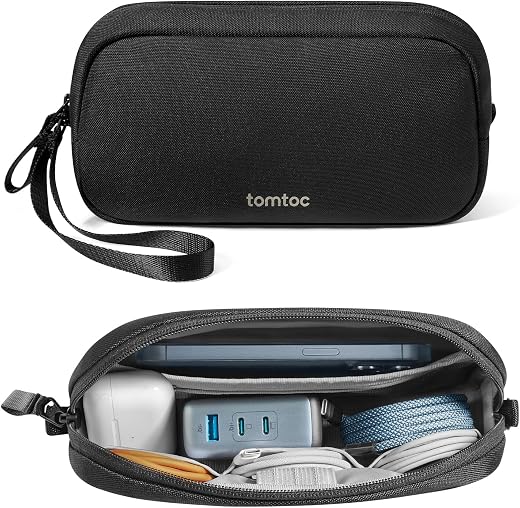
Durability tips: prefer braided insulation, reinforced strain relief, and tested connectors — details are covered in cable durability notes. Keep cables neat with a slim organizer; selected solutions appear in the pocket organizer roundup.
A single PD+data cable simplifies carry but requires confirmation of E‑marker and wattage; magnetic or mini adapters add convenience but can limit speed or power—match connectors to use cases.
Short PD + high‑speed data
5 inches, supports 100W/5A PD with an E‑marker and claims up to 20Gbps data and 4K video output; built for pocket carry and quick transfers to external SSDs. Known for no‑tangle braiding and compact length suited to minimal EDC.

Pocket‑Cable Myths, Debunked
For pocket‑length cables, termination quality, conductor gauge, and strain relief matter more than an extra outer braid.
Short cables concentrate bending and pull at the connector exits; well‑molded reliefs, solid soldering/tinning and adequate conductor thickness stop failures faster than a heavier jacket.
Shortness reduces bulk but increases stress at the ends; reinforced terminations, short slack loops, or proper right‑angle exits mitigate that stress.
Pocket movement causes repeated micro‑bends and connector fatigue; distributing strain away from the plug is the practical durability fix.
Many short cables omit E‑marker chips or use thin conductors; check for E‑marker, AWG rating, and declared USB data spec before assuming capability.
E‑markers negotiate high‑watt PD and correct CC wiring; missing SuperSpeed pairs or thin VBUS conductors limit charging and throughput regardless of cable length.
Low‑profile right angles and well‑designed magnetic tips can improve clearance, but they introduce different mechanical stresses and potential snag points.
Angles change bending moments at the plug; magnets focus pull on one interface—choose mechanically rated designs and prefer strain‑relief integration for pocket use.
Tiny audio dongles & keychain extras
Small dongles and keychain tools can be useful, but their value depends on frequency of use, build, and how noisy they make the pocket. Treat these items as utility tools, not decorations.
Weekly-usage thresholds
- Low value: used <2 times/week — likely pocket clutter.
- Moderate value: used 2–6 times/week — consider a collapsible or easily stow-able option.
- High value: daily use — justify a robust, permanently carried item.
Mechanical robustness and design
Prioritize solid materials (stainless or anodized aluminum), enclosed swivels, and integrated strain relief for cables. Simple moving parts and exposed pins increase failure risk; sealed or foldaway connectors last longer.
Net value vs pocket noise
Key chain extras add weight, rattle, and abrasion. Consolidation—combining a dongle with a compact organizer or magnetic quick release—reduces friction and loss. If the item saves repeated frictional tasks or a trip to a bag, it adds net value; otherwise it is pocket noise.
Low‑bulk organization and pocket layouts
Small, consistent habits shrink perceived bulk and speed retrieval. Treat one pocket as a home for charging, another for audio, and a third for miscellany; predictability matters more than carrying fewer items.
Common pocket layouts
- Inside jacket pocket: best for fragile or valuable items (thin charger, short cable) — keeps shape and avoids lint. Align connectors toward the opening for fast grab.
- Outer pants pocket: quick-access items (earbuds, key dongle). Use low-profile sleeves to avoid sharp edges.
- Small pouch: group fragile bits and extra cables together to stop loose ropes from ballooning pockets.
One small cable organizer or a consistent routing habit (loop, tuck, elastic hold) reduces bulk by preventing tangles and collapsing unnecessary loops. Simple rules: coil short cables in a single figure‑8, secure with an elastic, and always return each item to its assigned pocket. This reduces search time and keeps silhouette slim.
Non‑negotiable safety checks for pocket chargers
-
Read labels and model numbers
Confirm manufacturer, model, input/output ratings printed on the case. Absence of clear markings suggests higher risk.
-
Verify safety certifications
Look for CE, UL, PSE or local marks and a certification number; counterfeit logos are common—compare with issuer databases.
-
Match rated output and protocol
Ensure voltage/current and protocols (PD, QC) match device needs. A mismatch can force the adaptor into unsafe operation.
-
Inspect build quality and connectors
Check for solid seams, proper strain relief, and E‑marked USB‑C cables for high‑power PD; loose ports or flimsy molding are red flags.
-
Perform a controlled functional and thermal test
Using a noncritical device or USB power meter, run a short charge and monitor output and surface temperature; hot or odd voltages are unacceptable.
Unbranded or unlabeled chargers may lack internal protections and quality control.
Prefer known manufacturers or certified replacements. If uncertain, use a short cable, monitor the first use, or replace the brick.Compact troubleshooting and maintenance checklist
-
Quick power check
Swap to a known-good cable and charger, inspect ports for lint, and try charging with the device off. See PD troubleshooting checklist.
-
Isolate slow or intermittent PD
Use a short, E-marked cable and a different PD brick; note heat or throttling—if problems appear only under load, suspect power-profile negotiation or cable E-mark failures.
-
Audio dropouts
Reseat adapters, clean contacts, and test with another dongle or headset; for wireless gear, reset and check firmware before replacing hardware.
-
Flaky magnetic tips
Wipe mating surfaces, confirm magnet alignment, and swap tips; test whether the cable still carries full current/data because some magnetic leads limit features.
-
Basic maintenance routine
Monthly contact cleaning with isopropyl, avoid tight kinks, inspect strain reliefs, retire frayed cables, and carry one spare for critical items.
Trackers: when to add one
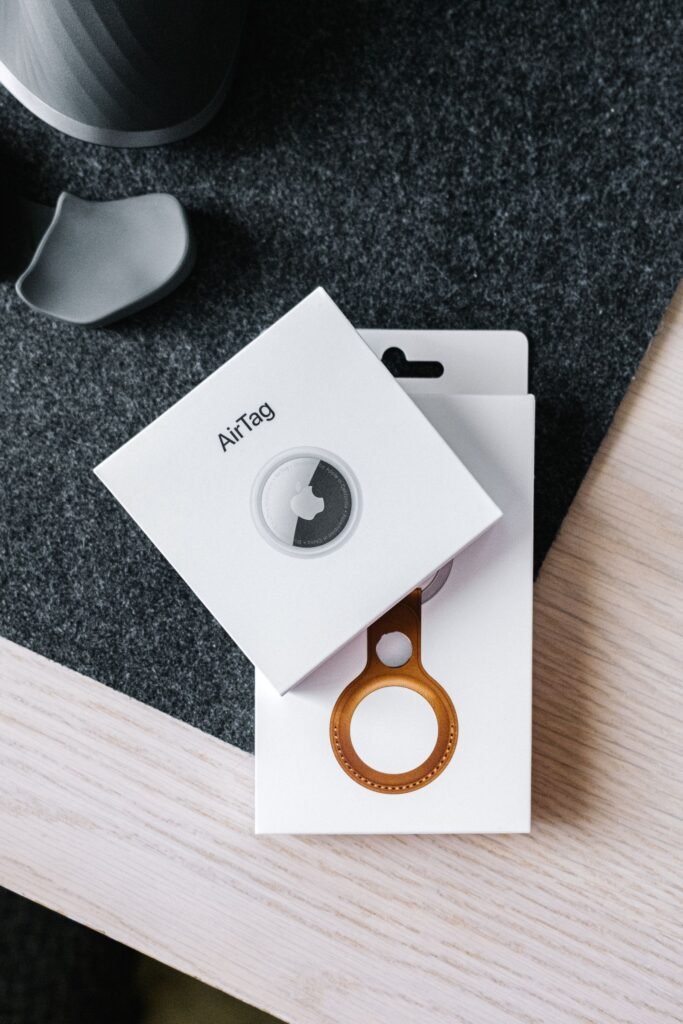
A small Bluetooth tracker can turn frantic searches into a quick ping, but it introduces privacy, noise, and lifecycle tradeoffs. Trackers make most sense on items that are either mission critical (keys, transit pass) or repeatedly misplaced; avoid tagging low value objects that add complexity.
Consider:
- Value vs friction: high value or frequently lost items justify the extra bulk and battery checks.
- Privacy and noise: many trackers produce anti stalking alerts or false positives; review how lost notifications behave in practice and check regional rules. See the mechanics of lost alerts and what EDC users should know.
- Ownership and lifecycle: lost alerts can persist and regional behavior varies; transferring or selling a tracker usually requires explicit reset and can wipe history—follow the proper transfer steps in the ownership transfer guide.
Also verify attachment security and battery replacement ease before committing a tracker to daily carry.

Final notes
- Prioritize capabilities (power, connectivity, retrieval) over item count.
- Choose durable, PD/E‑marked components; quality reduces repeat swaps.
- Prune based on measured use — real pockets reveal weak links.
Minimal pocket tech is capability‑first, not item‑first. Favor multifunction power and durable connectors; test real use before adding or keeping extras. Run short trials and let usage guide pruning.
Minimal-pocket checklist
-
Core items
Phone, keys, slim wallet; keep them in consistent pockets for fast access.
-
Power kit
Short USB‑C cable, compact GaN charger, optional small powerbank for extended days.
-
Audio & adapters
TWS buds or a tiny dongle based on regular needs; prioritize items used daily.
-
Safety & compatibility
Use PD/E‑marked cables and clearly labelled chargers; check device power requirements.
-
Trial & prune
Perform a one‑week carry test; drop items unused during that period and reassess.
Three sample builds mapped to priority capabilities.
Sample builds
- Ultra minimal commuter — Phone, slim wallet, tiny TWS buds, short USB‑C cable, 20–30W GaN brick. Priority: lowest weight and instant access.
- Hybrid worker — 45–65W GaN charger, short PD cable, compact powerbank, small USB‑C hub, noise-reducing buds. Priority: laptop power and interface flexibility.
- Travel‑lite — High density powerbank, multiport 65W GaN, varied cables, ANC buds, tracker. Priority: long runtime and redundancy.
Run a one week test: carry only the chosen build, note missing functions, remove rarely used items, and repeat until the load feels balanced.
65W Flat GaN USB C Charger,Dual-Port Fast Wall Charger,PD 3.0 & QC 4.0,Foldable Plug for MacBook Pro/Air, iPhone 15, iPad Pro, Galaxy S24, Steam Deck & More...
Features
| Connector Type | USB Type A, USB Type C |
| Compatible Devices | Cellular Phones, Laptops, PC, Smartwatches, Tablets |
| Compatible Phone Models | Compatible with iPhone 14 13 12 11 Pro Max Mini Plus/ XS Max/ XS/ X/ XR/ 8 Plus/ 8, iPad Pro Air Mini, AirPods Pro, MacBook Air, Samsung Galaxy S23, S23+, S23 Ultra, S22, S22+, S22 Ultra, Note 10+, Note 10+ 5G, A91, Samsung Galaxy S21/S21 Ultra/ S21+ 5G, S20/ S20 Ultra/ S20+/ S20 FE, Note 10/ Note 10 5G, Note 20/ 20 Ultra 5G/ S10 5G, Galaxy Z Fold 3 5g, A90 5G, A80, A70, Book S, Tab S7/S7+/S8/S8+/S8 Ultra, and switch, fan, speaker, lamp, etc. |
| Additional Features | Compact and Foldable Design, Dual-Port Charging (USB-C and USB-A), GaN Technology for Efficient Charging, PD 3.0 and QC 4.0 Support, Universal Compatibility |
| Input Voltage | 110 Volts |
| Amperage | 3 Amps |
| Total Usb Ports | 1 |
| Wattage | 65 watts |
| Output Current | 3 Amps |
| Output Voltage | 20 Volts |
| Power Source | AC Power (Wall Outlet) |
| Current Rating | 3 Amps |
| Frequency Range | 50-60Hz |
| Portable | Yes |
| Number of Power Levels | 65 |
| Power Plug | Type A - 2 pin (North American) |
| Compatible Cellular Phone Models | Apple iPhone 15, Samsung Galaxy S24 |
| Current | AC |
| Compatible Power Plug Type | Type A - 2 pin (North American) |
| Wired Charging Connector Type | USB Type A, USB Type C |
| Mounting Type | Wall Mount |
| Connectivity Technology | USB |
| Total USB 3.0 Ports | 1 |
| Brand | RUIDUN |
| Built-In Media | 65W GaN USB C Charger, Dual-Port Fast Wall Charger, Foldable Plug |
| Model Number | RD065W1A1C-02 |
| Customer Package Type | Compact Packaging for Easy Shipping |
| Mfr Part Number | RDUS-01-UT0651C1A-01B-W |
| Manufacturer | RUIDUN |
| Warranty Description | 1 year |
| ASIN | B0DFXYBY29 |
| Number of Items | 1 |
| Unit Count | 1.0 Count |
| Color | White |
| Enclosure Material | Gallium Nitride (GaN), High-Quality Plastic |
| Form Factor | Compact |
| Specification Met | Power Delivery (PD) 3.0, Quick Charge (QC) 4.0 |
- COMPACT POWERHOUSE: Don't be fooled by its size! The RUIDUN 65W GaN charger is smaller than a credit card and just 0.55" thick. It's the perfect blend of power and portability for your desk or travel bag
- DUAL-PORT DYNAMO: Equipped with a USB-C and USB-A port, this charger is your go-to solution for both new and legacy devices. Charge your laptop and phone simultaneously - no more device juggling
- TURBO-CHARGED SPEED: Experience lightning-fast charging with up to 65W output from the USB-C port. Even when both ports are in use, you'll get optimal charging speeds. It's like having a personal charging pit crew
- CUTTING-EDGE GaN TECH: Harnessing the power of Gallium Nitride, our charger delivers maximum efficiency while keeping cool under pressure. It's not just fast; it's future-proof charging at its finest
- UNIVERSAL COMPATIBILITY: From the latest iPhone 15 and MacBook Pro to Samsung Galaxy and beyond, the RUIDUN charger plays nice with all your favorite gadgets. It's the Swiss Army knife of the charging world
- TRAVEL-FRIENDLY DESIGN: With a foldable plug and compact size, this charger is your perfect globetrotting companion. Slip it into your pocket or bag, and you're ready to power up anywhere
Rixmie Short USB-C Cable [5 inch], 100W PD Fast Charging, 20Gbps Data Transfer, USB C to USB C Short Cable, Thunderbolt 3 for iPhone 17, MacBook, Android...
Features
| Connector Type | USB Type C |
| Cable Type | USB |
| Compatible Devices | Google Pixel 3/ 3 XL/ 3a/ 3a XL/ 4/ 4 XL/ 5/ 5 XL/ 6 pro, Macbook Air 13.3'',MacBook Pro 13.3''/MacBook Pro 15.4'', SAMSUNG Galaxy S22/ S22 Ultra/ S21/ S21+/ S21 Ultra/ S20/ S20+/ S20 Ultra/ S10/ S9/ S8/ S8+/ S7/ Note 20/ Note 20 Ultra/ Note 10/ Note 9/ Note 8/ A80/ Note 7, iPad Pro 2022/2021/2020/2018 iPad Air 5 |
| Other Special Features of the Product | No tangles |
| Compatible Phone Models | Note, S21+, Samsung Galaxy S22 Ultra |
| Connector Gender | Male-to-Male |
| Data Transfer Rate | 2500 Megabytes Per Second |
| Number of Pins | 24 |
| Frequency | 20 GHz |
| Maximum Current | 5 Amps |
| Wattage | 100 watts |
| Maximum Voltage | 20 Volts (DC) |
| Compatible Amazon Tablet Models | Amazon Fire HD 10 13th Generation, Amazon Fire HD 8 12th Generation |
| Connectivity Technology | USB |
| Color | Black |
| Item Shape | Round |
| Brand Name | Rixmie |
| Customer Package Type | OPP BAG |
| Model | USB C TO C 20Gbps |
| Manufacturer | Rixmie |
| Warranty Description | Manufacturer's warranty: 365 days from date of purchase |
| Part Number | USB C TO C 20Gbps |
| ASIN | B0B49WCQX4 |
| Recommended Uses For Product | business trips, travels, using power banks, using external SSDs |
| Indoor Outdoor Usage | Indoor, Outdoor |
| Unit Count | 1.0 Count |
| Item Weight | 0.01 Kilograms |
| Number of Items | 1 |
- 【The Rixmie Advantage】We are a high-tech company dedicated to developing, producing, and selling USB cables. Our company has about ten years of experience in the industry. Each of our products is carefully selected, and it has won wide praise from domestic and international markets. You can be assured of your choice.
- 【100W/ 5A Fast Charging】The USB C to USB C cable has a built-in E-marker smart chip that safely delivers up to 100W (5A) power. In the case of complete power charging, half an hour can charge the phone 75 percent of the regime.
- 【20Gbps Super Fast Data Transfer and 4K 60HZ Video Output】Supporting ultra-high transfer rates of up to 20gbps, you can transfer an HD movie or over 700 music albums in less than 7 seconds—ideal for external computer hard drives and large data transfers—support video output with high definition resolutions up to 4K and 60HZ refresh rates.
- 【Compatible with ALL USB C Devices】You can use this cable on any device that has a USB C or Type C port.You can use it for Galaxy S22/ S22 Ultra/ S21/ S21+/ S21 Ultra/ S20/ S20+/ S20 Ultra/ S10/ S9/ S8/ S8+/ Note 20/ Note 20 Ultra/ Note 20 10/ Note 9/ Note 8/ A80; Pixel 2/2XL / 3/3XL / 3a/ 3a XL/ 4/4 XL/ 5; Macbook Air/ 13'', etc
- 【Our Commitment】 If you purchase the product within 365 days of any quality problems, don't hesitate to contact us in time to replace the new product. If any issues are encountered during use, you can contact us, and we will give you an answer within 24 hours.
Small Travel Carrying Storage Case, 4.4"x4.4" Charger Organizer, Pouch compatible with MacBook Power Adapter, Laptop Accessories Cables, Cords, USB Drives,...
Features
| Closure Type | Zipper |
| Handle Type | Top handle |
| Number of Compartments | 3 |
| Color | Black-Small-Oxford |
| Style Name | Travel |
| Pattern | business |
| Item Dimensions L x W x H | 4.4"L x 4.4"W x 1.7"H |
| Item Weight | 0.11 Kilograms |
| Size | 4.4 x 4.4 x 1.7 inches |
| Brand Name | HOMEGYMFREE |
| UPC | 768420688795 |
| Manufacturer | HOMEGYMFREE |
| Model Number | HOMEGYMFREE |
| Unit Count | 1.0 Count |
| Item Type Name | Travel Accessory- Packing Organizer |
| ASIN | B0CJ26RXNJ |
| Material Type | Oxford |
| Shell Type | Hard |
- 【SMALL STORAGE BAG】Compact Tech Bag to keep your MacBook charger and loose cables neatly organized. This electronic accessories travel organizer bag has enough room for electronic gadgets, such as earbuds, charging cords, blocks, power bank, hard drives, mouse, earphone, flash drives, SD cards, wall charger adapters, and more.
- 【HIGH-QUALITY MATERIAL】This Apple power storage bag is made of durable and waterproof EVA, with an excellent mesh pocket and anti slip grip elastic ring inside to ensure that the rope is fixed in place. The travel storage bag is sealed with a high-quality zipper for quick access and management.
- 【COMPACT & PORTABILITY】Size: 4.4 x 4.4x 1.7 inches (LxWxH), Weight: 2.5oz. Lightweight portable charger organizer for travel, easy to carry and fit into the backpack or handbag without taking much space. A great companion as a travel electronics organizer and small accessories organizer bag.
- 【MULTI-USAGE】Versatile travel organizer bag specifically designed for good travel and business organized people; Big Opening provides great electronic organizer flexibility. Front outside zipper pocket for easy access. It can also be used as a medical kit or small cosmetic bag.
- 【AFTER-SALES SERCICE】If you have any question or problem about our Charger Case, please feel free to contact us, we'll reply you within 24 hours, and offer you the best solution.