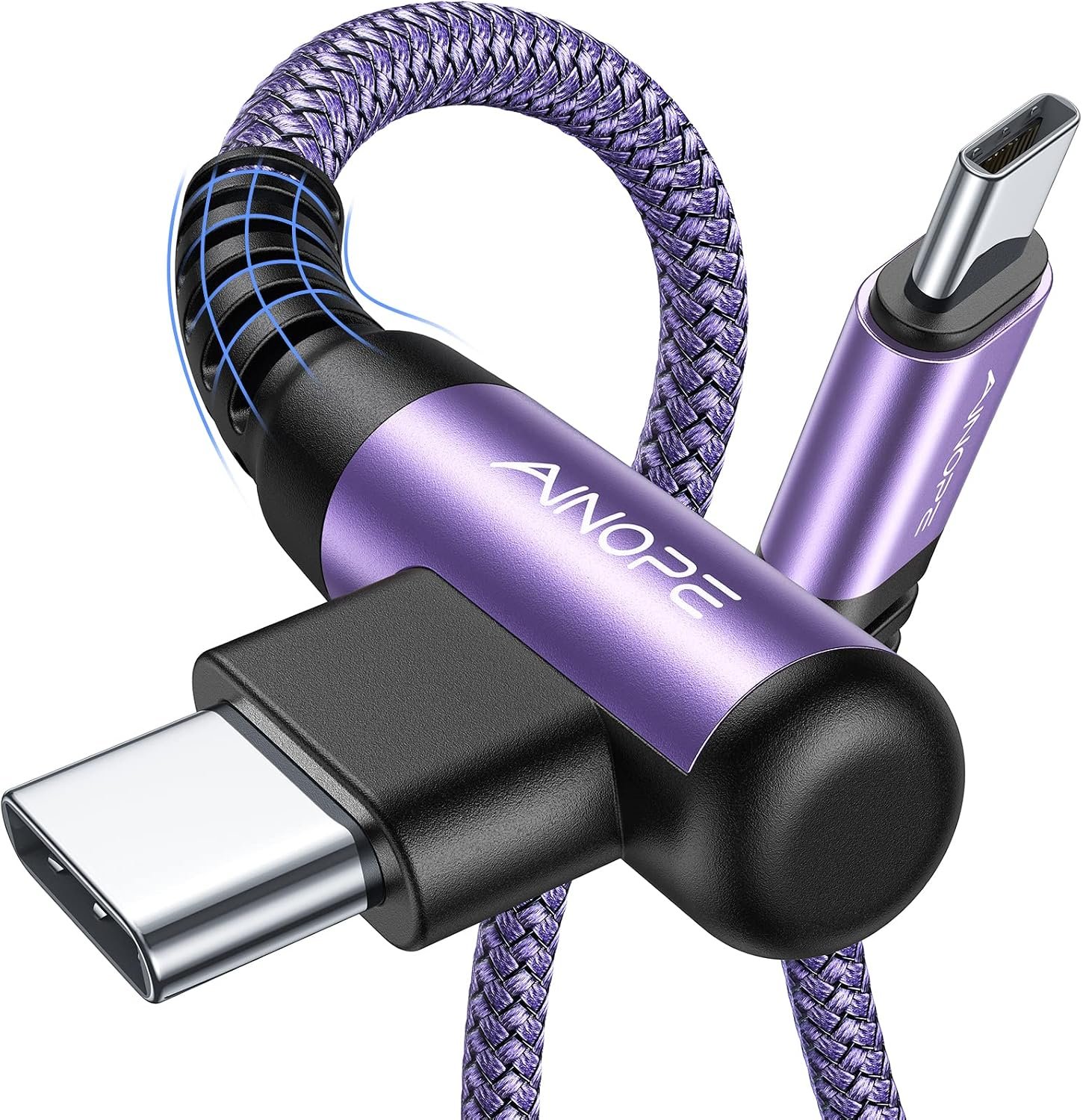
A cable that barely clears the device can turn a passing elbow into a lever.
A straight plug projecting from the side of a laptop, handheld console, or phone is easy to hook on clothing, a bag strap, or the edge of a desk. The resulting load is rarely a gentle pull straight out; it is usually a sideways bend acting through the plug’s exposed length. That leverage can strain the cable’s overmold, the plug shell, and—more concerningly—the connector solder joints or retention hardware inside the device.
A right-angle connector often reduces that exposed lever arm and routes the cable along the device, making accidental knocks less likely. But an angled plug does not erase stress; it changes its path. A cable pulled downward, pinned under a case, or forced sharply around the connector can still apply torque. The meaningful comparison is therefore the direction, distance, and repetition of real-world loads—not the connector’s silhouette alone.
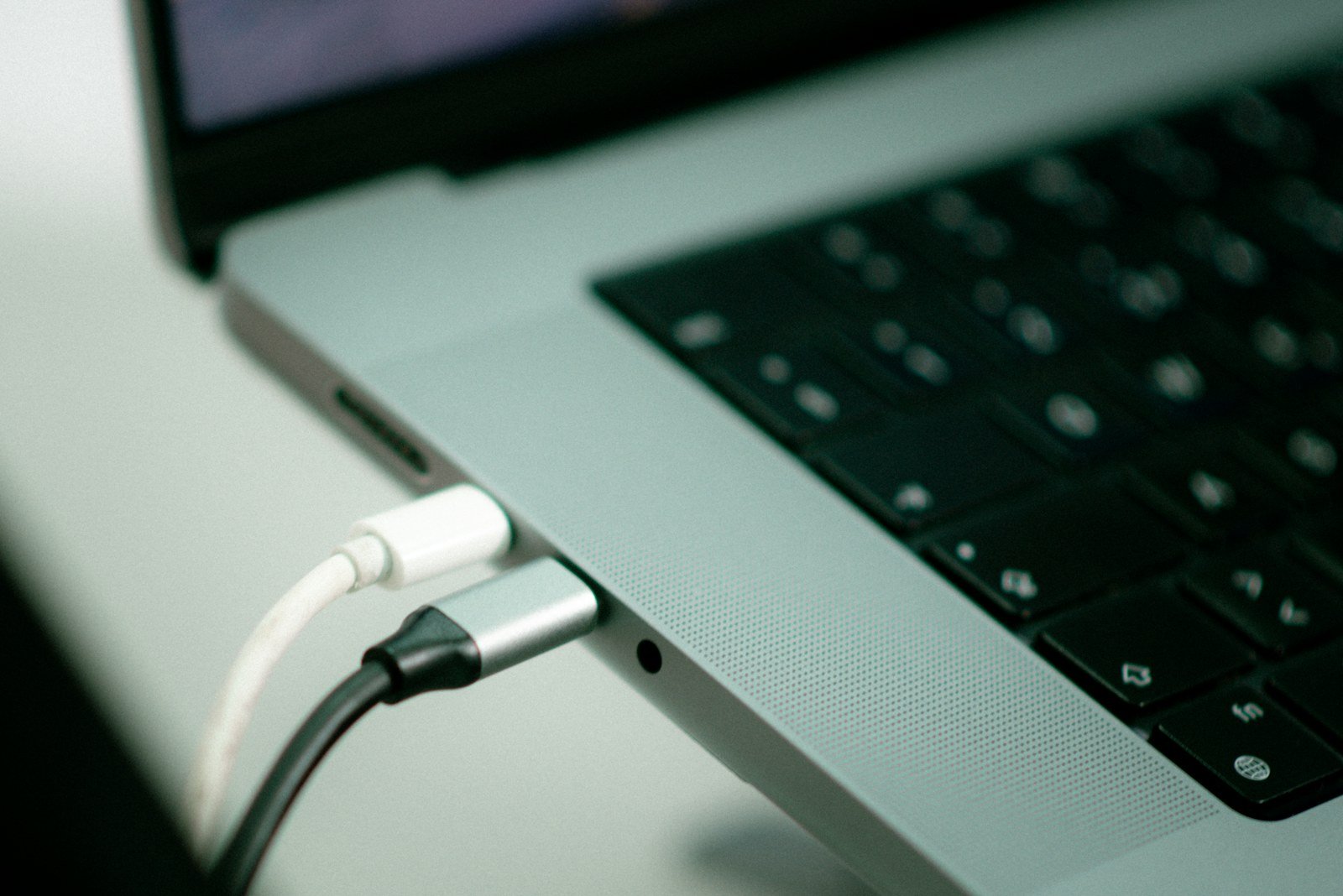
A port wears in more than one way
Mating cycles
Every insertion and removal rubs plated contacts and spring fingers. High-use connectors can gradually lose contact force or plating integrity even when the cable is never pulled sideways.
Axial pull
A straight tug loads the retention features that keep plug and receptacle together. Depending on the connector, the cable may release cleanly, deform a latch, or transfer force into the device’s internal mounting.
Side-load and bending
Force applied across the plug acts as a lever at the port opening. It can bend a plug shell, distort contact alignment, or fatigue the connector’s solder joints and board mounting.
Twist
Rotating a connected cable concentrates stress differently from a simple pull. A right-angle plug can reduce one bending direction while making torsion more likely if the cable is routed tightly or repeatedly turned.
Snags and impacts
A cable caught on furniture or struck during transport produces a short, high-force event. A recessed phone port, a laptop connector soldered to a thin board, and a panel-mounted port can each fail at different weak points.
When a flat exit helps
However, the plug is most vulnerable when it projects into the space where hands and bags travel. A straight connector can catch on clothing and turn a light knock into a larger bending moment at the port. The force acts farther from the socket, increasing risk and right angle usb c cable port wear.
A right-angle connector reduces that lever when the cable leaves in the direction it’s actually needed.
Along the edge of a laptop, tablet, handheld console, or dock, the connector may sit close to the chassis.
That arrangement avoids jutting outward.
A tug is then more likely to pull along the cable path than to pry the plug sideways.
The orientation still decides the outcome
But benefit disappears when elbow sends the cable toward an obstacle or requires a tight reversal after the connector.
Thus, this also reduces right angle usb c cable port wear by keeping bends away from the plug’s metal shell.
Useful signs of a favorable setup include:
- the cable rests with a gentle, untwisted curve;
- the plug does not extend into a high-traffic area;
- normal device movement does not make the cable pull sideways;
- the connector can be removed by its housing, not by yanking the cable.
Thus, the relevant comparison is not “angled versus straight” in isolation. It is how far the assembly protrudes and where real-world forces are likely to arrive.
A right angle can move the weak point
It shortens one lever arm, but the remaining load still has to travel through the plug, port shell, and cable.
If the cable is pulled sideways or downward, the angled housing can transmit torque into the receptacle rather than eliminating it.
A sharp turn immediately after the molded section can fatigue conductors or split the strain-relief boot.
The elbow is already a transition point; forcing the cable against its intended exit direction concentrates bending at that boundary.
Cable weight can apply a steady downward moment, especially with thick, long, or adapter-laden leads.
The visible projection is smaller, yet gravity still loads the connector body and any unsupported port mount.
An angled plug that presses against a case edge, desk, wall, or protective enclosure can become a rigid brace. Movement of the cable then pivots around that contact point, loading the connector housing or port rather than allowing the cable to flex gradually.
A useful installation leaves clearance in the cable’s natural exit direction and a gentle bend beyond the molded elbow. Thick cables, stacked adapters, and unusually stiff overmolds deserve particular attention because their weight and stiffness can overpower the advantage of a compact connector.
Choose the exit path, not the angle
“Right-angle” is incomplete shorthand. The important feature is the exit direction relative to the device: left, right, up, or down. A connector that lies flat but sends the cable toward a desk edge, a wall, or a hand position can create the same side load it was meant to avoid.
Map the cable’s natural route
For a laptop, an outward-facing exit can keep the lead clear of the palm rest. This may reduce snagging, including right angle usb c cable port wear.
USB-C adds a naming trap. Its plug is reversible, but an angled cable is not necessarily direction-neutral. Flipping the plug can change a left exit into a right exit—or, depending on the connector’s construction and the port’s orientation, place the elbow against the case. Product photos should show the cable installed in a port matching the intended device orientation.
Before choosing, check three clearances:
- Case lip: a thick case can prevent full insertion or force the overmold to bear on its edge.
- Adjacent ports: a wide elbow may block a second USB-C, USB-A, HDMI, or audio connector.
- Vent and hinge space: routing across an intake, exhaust, or hinge can add heat, abrasion, and repeated bending.
A short, gentle path with slack is generally more valuable than a particular elbow direction.
What the port is built to survive
A connector’s published mating-cycle rating measures repeated, controlled insertion and removal. It is useful for comparing contact durability, but says little about a cable struck sideways, a device dropped while connected, or a plug used as a lifting point. Those events load the shell, retention features, board pads, and sometimes the device enclosure at once.
Compact ports—especially USB-C, micro-USB, and flush-mounted headphone jacks—often sit close to the circuit board with limited surrounding structure. A thin shell and short mounting footprint can make them vulnerable to off-axis torque even when contacts stay sound. By contrast, a full-size connector anchored to a metal chassis or supported by through-board tabs can spread a similar load across more structure, reducing right angle usb c cable port wear. It is not invulnerable, merely less dependent on delicate solder joints.
Added hardware changes the lever
An adapter or dock does not simply add length. It creates a new rigid body, shifts the pivot point, and may turn a modest tug into a larger moment at the host port. This is why port wear from dongles and adapters depends heavily on whether the accessory is supported on a desk, hangs freely, or presses against a case.
A right-angle connector helps when its elbow rests without forcing the plug sideways.
Risks rise if the elbow touches the chassis.
A bulky adapter hanging below or a hard bend after the strain relief increases danger.
The question is not only plug insertion but where force travels when something unexpected happens.
Judge the cable as a load path
- A shell that supports the connector
The plug housing should sit close to the device without fouling a case or pressing against the chassis. A compact shell spreads incidental contact better than a long, decorative elbow.
Look forA low-profile housing with no case interferenceAvoidAn oversized metal elbow that becomes a new lever - Strain relief that bends gradually
The cable-to-plug transition needs a compliant, tapered relief rather than an abrupt stiff collar. This is central to how cables resist repeated stress, because bending must occur over length, not at one hinge point.
Look forSoft, long taper with an easy initial bendAvoidRigid molding that forces a sharp bend beside the plug - Capability without unnecessary mass
Confirm the cable supports the required charging wattage, data rate, video mode, or Thunderbolt specification. Higher-capability cables can be thicker, so added weight needs adequate support and slack.
Look forVerified power and data markings in an appropriately light cableAvoidHeavy construction chosen solely for a rugged appearance - A secure fit and a relaxed route
The connector should mate fully and resist ordinary movement without requiring force. Enough length lets the cable form a broad curve; excess tension makes any angle a stress concentrator.
Look forSnug engagement and visible slack near the deviceAvoidA marginally loose plug or a taut cable run
A tightly braided jacket can hide a cable that is too stiff for the route. If it springs outward, it can keep applying torque after the device is set down.
Likewise, a large metal right-angle housing may survive scuffs while transferring an impact directly to the port area. Durability of the cable is not the same as protection of the port.
The safer shape depends on the route
At a desk, a downward- or rear-exiting plug can keep a laptop or dock cable out of the elbow zone. That is useful only if the cable reaches the desk without being pulled taut; a heavy cable draped from an unsupported side port can still apply steady bending load.
For handheld devices, a right-angle plug can reduce the chance of a straight connector being struck during gaming or charging in bed. But a plug pointing across the palm, into a case lip, or toward a pocket seam may be worse: ordinary grip and movement then twist the connector repeatedly.
In vehicles, vibration and cramped console spaces favor a route with clearance and strain relief. An angled plug that lies flat against a panel may avoid a knock, while one trapped against a seat, gear area, or closing compartment can turn each bump into a side load.
Travel adds snag risk.
Additionally, a compact angled connector sits closer to the device, but adapters and stiff leads increase length.
A right-angle connector keeps the cord aligned and reduces sideways pull during travel.
Cable routing matters more than appearance when a bag pocket or hotel outlet can pull sideways.

Right-Angle Cables and Port Wear: Common Questions
Does a right-angle USB-C cable really protect the port?
It reduces one kind of leverage — the sideways bending from a protruding straight plug — but it doesn’t eliminate stress. The load simply relocates to wherever the cable bends next, so clearance and routing still matter.
Can a right-angle cable still damage a port?
Yes. If the elbow presses against a case, desk, or wall, it becomes a rigid brace that transfers force into the connector housing and port mount instead of letting the cable flex gradually.
Does flipping a reversible USB-C plug change which way the cable exits?
Yes. Flipping the plug can turn a left exit into a right exit, or place the elbow against the case, depending on the connector’s construction and the port’s orientation.
What matters more than the connector's angle?
The cable’s exit direction relative to how the device is actually held or placed, plus enough slack and a gradual, tapered strain relief, matter more than whether the plug is straight or angled.
Reduce leverage, not just protrusion
- Follow the cable’s natural route and check nearby surfaces, cases, and moving parts.
- Leave enough slack for normal handling; never use the cable to lift the device.
- Replace connectors that wobble, heat unusually, disconnect intermittently, or show damaged shells or strain relief.
Right-angle cables can reduce port wear, but only when their exit direction removes leverage and avoids new obstructions. They do not make a port inherently safer; they can simply shift stress to the plug elbow, cable, port mount, or whatever the cable meets next.
A brief inspection before regular use is more reliable than assuming either shape is protective.