

A noisy keyring is rarely one problem; it is several hard surfaces finding each other with every step.
The familiar clink-clink usually starts the moment a pocketed keyring swings against a thigh, then grows louder when the keys strike a fob, a metal clip, loose coins, or a phone. That is useful news: the sound is not mysterious wear, but movement at specific contact points.
Keys stacked loosely on a split ring can fan apart and collide edge to edge. A bulky remote fob acts like a hard pendulum; a carabiner or house-key tag adds another striking surface. Even one oversized key among several small ones changes the rhythm. Separating the noisy pieces, cushioning their contact, or holding the stack in a fixed orientation can reduce the rattle quickly—without replacing every key or abandoning a familiar carry setup.
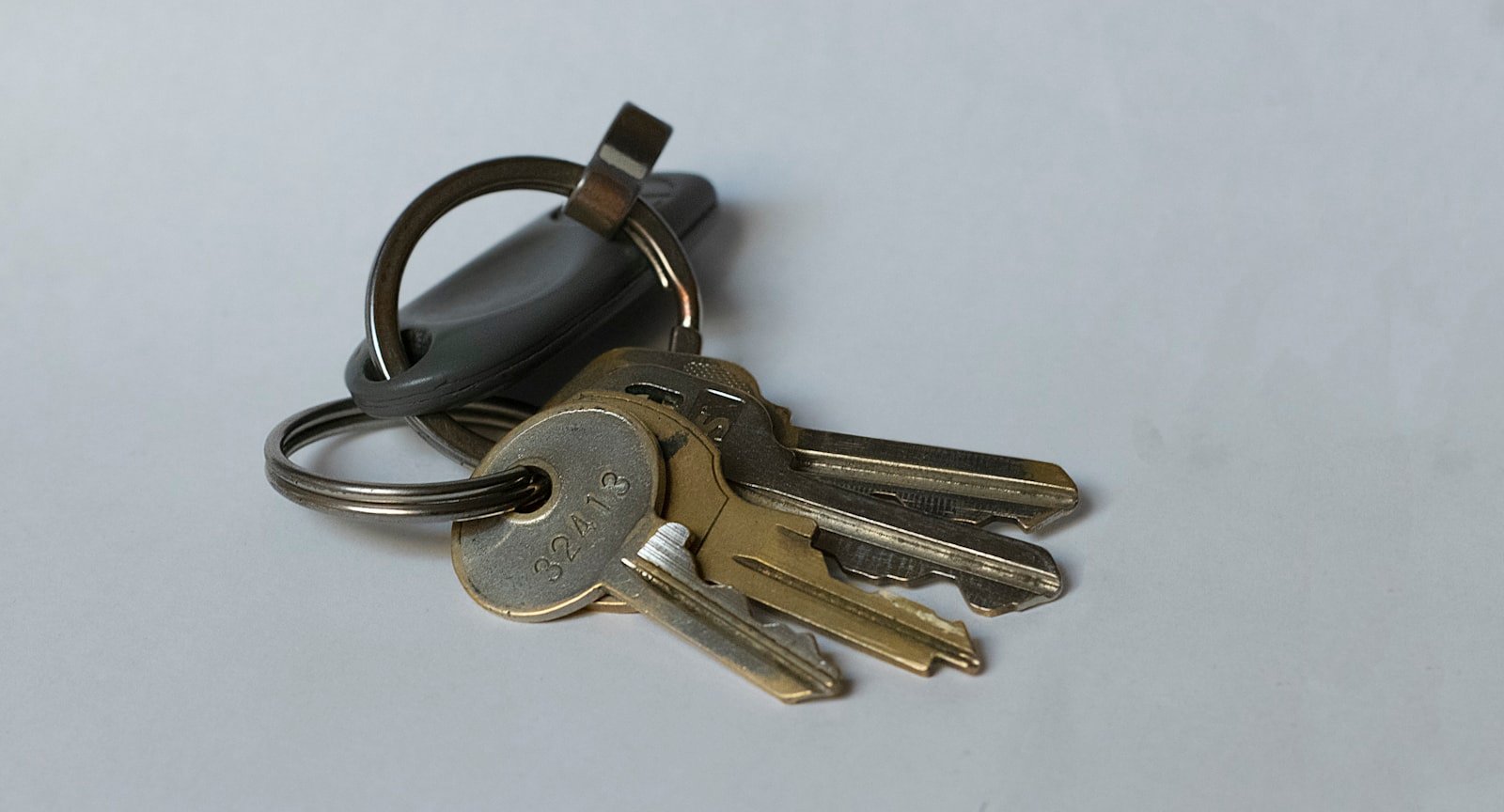
Identify the moving part before changing anything
-
Remove every pocket item
Set out keys, fobs, clips, coins, and loose accessories separately. A crowded pocket can make one small source sound like a general key rattle.
-
Test the keyring alone
Hold the ring loosely and give it the same short shake heard while walking. A bright, sustained jingle usually means keys are striking one another or the split ring.
-
Hold the keys still and move the hardware
Keep the key blades clamped in one hand, then flick the carabiner, quick-release, swivel, or fob attachment. A distinct single click points to a clasp gate, swivel joint, or loose fitting rather than the keys.
-
Mute metal-to-metal contact
Separate the keys with a finger or wrap the ring in a small piece of cloth for one shake. If the sharp ringing disappears, metal contact is the primary noise source.
-
Recreate the pocket impact
Place the bundle in an empty pocket and walk a few steps, then add items back one at a time. A low thud or muted knock commonly comes from the bundle hitting a phone, coin case, or pocket seam.
Jingle usually comes from repeated metal-to-metal collisions. Clicks tend to come from a moving clasp, swivel, or fob component. Dull impacts indicate the whole bundle is hitting something else.
That distinction matters: padding keys will not tighten a clicking carabiner, and replacing a ring will not stop a phone and key bundle from knocking together. Isolating the noise first keeps any later change small and targeted.
- Strip the ring to its daily essentials
The fastest silent fix is often subtraction: remove keys that are not needed on an ordinary day, such as spare padlock, storage, old workplace, or rarely visited relatives’ keys. Each removed key eliminates several metal-on-metal contact opportunities, not merely one source of noise.
- Keep an “occasional” set elsewhere
Infrequent keys can stay on a labeled secondary ring in a drawer, bag, or vehicle compartment. This preserves access without making every trip carry the acoustic and physical cost of keys used only once in a while.
- Split keys by where they are used
A home-and-daily-carry ring and a separate work, hobby, or property ring usually move less freely than one oversized cluster. Smaller groups have fewer edges striking at different angles, so both the sharp jingle and the bulky pocket lump decline.
- Remove accidental duplicates and dead hardware
Old copies, expired access tags, unused mini-tools, broken fob shells, and redundant rings often survive unnoticed. If an item has no current purpose, taking it off reduces weight and prevents it from acting as a hard striker between working keys.
- Retest the reduced set in the actual pocket
Walk, sit, and climb stairs with only the remaining daily set. If noise is now limited to a fob or clip rather than a broad jangle, the moving part is isolated and any later cushioning or organizer can be chosen more precisely.
Buffer the metal contact
Once excess keys and loose pocket items are gone, a persistent bright jingle usually means two metal surfaces still meet on every step: key blades sliding against each other, a split ring striking a key head, or a clip tapping the ring.
The useful fix is not a bulky key cover. It is a thin, flexible buffer placed at the contact point. Small silicone key spacers, rubber O-rings, or nylon washers can separate adjacent keys while leaving the blade, shoulder, and bow accessible. A washer fitted on the ring between key heads is often enough to turn a metallic chime into a muted tap.
Match the buffer to the hardware
- Standard metal keys: thin nylon or silicone washers are durable, quiet, and add little width.
- Keys on a split ring: a short silicone ring sleeve can prevent the ring itself from striking nearby heads; it is less useful when blades are the main collision point.
- Car fobs and transponder keys: keep material clear of buttons, charging ports, seams, and the transponder head. A loose wrap around the head can interfere with daily handling and may trap grit.
- Keys used in narrow or recessed locks: avoid thick caps and padded sleeves. Any material that reaches the blade shoulder can stop the key from seating fully.
A simple test is to insert and turn each buffered key several times before relying on it. If the key binds, sits proud of the lock, or the spacer shifts toward the blade, reduce its thickness or move it back to the ring. The quietest arrangement still needs to preserve full insertion, easy identification, and quick removal.
Place spacers between key heads rather than along the blade. This preserves lock clearance while separating the surfaces that create the sharpest rattle.
Fix sharp clicks at the connection point
Sharp, repeating clicks often come from the connection point, not the keys themselves. A split ring that has spread apart, flattened, or developed a loose outer coil lets keys shift and snap against its edge. The same applies to a swivel clip, tiny carabiner, bead chain, or dangling tag whose joint has more play than the rest of the set.
Inspect before replacing
Hold the ring still and move each attached item one at a time. Look for:
- a visible gap between split-ring coils;
- a key hole enlarged into an oval, allowing side-to-side slap;
- a loose clip gate or swivel that ticks when rotated;
- decorative charms, tags, or lanyard hardware hanging below the keys.
Replace distorted split rings rather than squeezing them closed; reshaping can leave an uneven edge that catches and clicks. A smaller-diameter, heavier-gauge split ring generally limits travel for a compact set, while a short fixed loop or low-profile key organizer suits several flat keys.
Match the attachment to the load. One to three keys usually need only a snug ring or organizer; adding a large clip creates another moving joint. Larger sets may benefit from a sturdy central ring with removable sub-rings for infrequent keys. Keep fobs on their own short, tight loop where possible, since their weight can repeatedly pry open a light ring.
Use Tension to Stop the Swing
- Why a tensioned stack stays quiet
A pivot organizer clamps each key between washers or spacers, so keys rotate only when deliberately pulled out. Unlike a ring, it removes the free swing that lets metal edges strike one another while still keeping every key individually available.
Look forControlled pivot resistance: firm enough to hold keys closed, light enough for one-handed selection.AvoidA loosely adjusted pivot that lets the stack fan open or chatter. - Match the organizer to the actual key load
Count physical keys, including unusually thick keys, before judging stated capacity. Capacity figures can be optimistic when keys have large plastic heads or are paired with thick spacers; an overfilled stack binds and becomes awkward to deploy.
Look forEnough pivot length for the full stack plus the supplied washers, with a little adjustment range.AvoidFilling the pivot to its limit, which can pinch keys or leave insufficient thread engagement. - Check key-hole and spacer compatibility
Most organizers use a pivot barrel sized for standard key holes, but older, specialty, or small-hole keys may need an adapter or may not fit. Nylon, rubber, or brass spacers fill uneven gaps and set friction without forcing keys against each other.
Look forA pivot diameter compatible with the smallest key hole and spacers that create an even, snug stack.AvoidForcing a tight hole onto the pivot or relying on bare metal washers that can still tick. - Give fobs and slim tools their own plan
Bulky electronic fobs generally do not belong inside a compressed key stack: button access, antenna clearance, and thickness can suffer. A small external loop or short tether can isolate the fob, while a slim multitool needs confirmed pivot clearance and enough tension to prevent it opening in the pocket.
Look forA dedicated fob attachment and published compatibility for any slim multitool carried on the pivot.AvoidSandwiching a remote fob or thick tool between keys merely to consolidate the carry.
Retune the Pivot Before Replacing It
An organizer that once stayed quiet has often lost compression rather than suffered a major failure. Repeated opening cycles can settle nylon washers, compress soft spacers, or let a screw back out by a fraction of a turn.
Adjust in very small increments
Close the key stack and tighten the pivot only about one-eighth turn at a time. After each adjustment, fan every key out and fold it back several times. The rattle may disappear before the pivot feels noticeably tighter; continuing past that point can make keys difficult to select or put unnecessary drag on the screw.
If the screw repeatedly loosens, first inspect and fix the organizer’s loose screws rather than assuming the whole holder is worn out. A missing washer or flattened spacer can mimic a loose fastener.
Check the stack, not just the screw
Disassemble the pivot over a tray and compare both sides of the stack. Spacers should sit between parts intended to move independently, while keyed washers or sleeves need to remain in their original orientation. A thick car key, fob adapter, or unusually large key head placed mid-stack can create uneven pressure and leave the outer keys loose.
The useful setting is a compromise: keys hold their chosen positions in a pocket, yet deploy with deliberate thumb pressure. An over-tight pivot may be silent, but awkward deployment usually signals that the stack order or spacer thickness needs correction instead of more tension.
Shake the closed organizer, then walk with it briefly. A quiet desk test can miss keys that shift only under body movement.
Match the fix to the carry
A quieter pocket should not require difficult key access or a thicker-than-needed carry.
Quiet Keyring: Common Questions
Will padding my keys stop a clicking carabiner?
No. Padding keys will not tighten a clicking carabiner, and replacing a ring will not stop a phone and key bundle from knocking together. Isolate the noise first: a distinct single click when the keys are held still points to the clasp gate or swivel joint, not the keys themselves.
Where should a key buffer or spacer be placed?
Spacers work best between key heads rather than along the blade. Placing them on the ring side preserves lock clearance while separating the surfaces that create the sharpest rattle.
Should a bent split ring be reshaped or replaced?
Replace a distorted split ring rather than squeezing it closed. Reshaping can leave an uneven edge that catches and clicks. A smaller-diameter, heavier-gauge split ring generally limits travel for a compact set.
How much should a loose pivot screw be tightened at a time?
Close the key stack and tighten the pivot about one-eighth turn at a time, fanning the keys out and back after each adjustment. The rattle may disappear before the pivot feels noticeably tighter, and over-tightening can make keys difficult to select.
Confirm it under real movement
- Test while walking, sitting, and climbing stairs—not only by shaking the keys in hand.
- Keep the usual phone, wallet, fob, coins, and other pocket contents in place during the test.
The effective repair is the smallest change that removes the actual collision: isolate a pair of keys, shorten a loose connection, or tension a moving stack. Then carry the setup normally for a few minutes. Pocket pressure and nearby objects can reveal contact that a bench test misses.




15 Comments
The “bright jingle vs. click” test was more useful than I expected. My noise was actually the car fob knocking against a little brass key, not the ring itself. I moved the fob to the outside of the stack and added one nylon washer—quiet on my walk to work this morning.
That is a good example of why identifying the sound first saves effort. Keeping the bulky fob at the outside usually reduces the number of things it can strike, and a single thin washer is often enough.
Same here. I kept blaming my ring, but it was the fob clip tapping the bottle opener attachment. One small separator fixed it.
My organizer started clicking after about six months, which had me ready to replace it. I opened it up and found the spacers had settled; a very small turn on the pivot screw stopped the keys from swinging freely.
Worth mentioning: I overtightened it at first and then couldn’t get my apartment key out comfortably. Backing it off just a hair was the sweet spot.
Exactly—the usable setting is not necessarily the tightest setting. Retuning with the full stack installed, then checking that each key can still be deployed without force, is the safest approach.
Glad you said that. I cranked mine down and thought the organizer was defective because the keys were impossible to fan out. Tiny adjustments really do matter.
I tried an organizer with pivot tension, but my old mailbox key has a tiny hole and keeps binding against the spacer. The normal house keys are fine. Is there a trick besides drilling the hole larger? I’d rather not ruin the one key that is apparently made of butter-soft metal.
I would not drill it unless you have no alternative. Try putting that small-hole key at the outside of the stack with the thinnest compatible washer, or keep it on a separate small ring if it is rarely used. A key that binds can make the whole pivot feel overtightened even when the rest of the stack is set correctly.
I had that exact issue with a utility-room key. Putting it on the outside helped, but eventually I put it on a tiny separate ring since I only use it once a month.
The sharp click in my case was a cheap oversized split ring. It had enough room for the keys to slide and snap together every time I took a step. Swapped to a smaller ring sized for four keys and the annoying click is gone.
Still a faint dull knock when I put my phone in the same pocket, but that’s probably not a keyring problem anymore.
I’m a little skeptical about silicone separators for keys with electronic fobs. Does putting material near the fob ever interfere with the transponder, or is that only a concern if it covers the actual fob housing?
A thin separator placed between metal keys is generally fine. Avoid wrapping or sandwiching the fob itself, and make sure nothing blocks its buttons, charging port, or the way it normally sits near the vehicle’s reader. If the fob is bulky, placing it at the end of the stack rather than between keys is usually the cleaner solution.
Mine has a thin nylon washer next to the metal key, not around the fob, and the proximity unlock has worked normally for over a year.
Can confirm that “test it in a fully loaded pocket” matters. My setup seemed silent in my hand, then rattled like crazy once my coins and compact flashlight were in there. Separating the flashlight into the other pocket worked better than adding more rubber bits.
Not glamorous, but it was the narrowest fix and cost nothing.
I removed three “just in case” keys that I honestly hadn’t used in years. The keyring is way less bulky now, and the rattling mostly disappeared without buying another gadget. Apparently my pocket was carrying a tiny medieval jailer’s collection 😅