
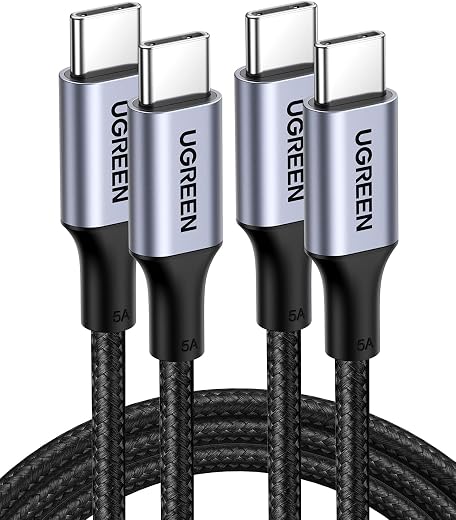
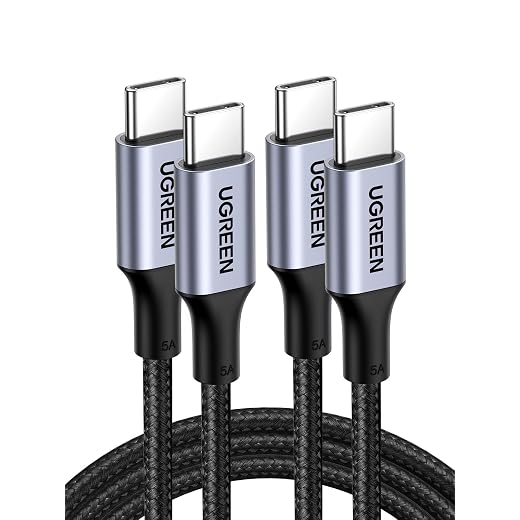
UGREEN 100W USB C to USB C Cable, Fast Charging, 2-Pack, 3.3ft, Black | For iPhone 17/16/15, MacBook Pro/Air, iPad Pro/Air/Mini, Galaxy S26/S25/S24, XPS,...
Features
| Connector Type | USB Type C |
| Cable Type | Type C |
| Compatible Devices | For ALL devices powered by USB C like Smartphone(iPhone 17/17 Air/17 Pro/17 Pro Max/16/15/15 Plus/15 Pro/15 Pro Max, Samsung Galaxy S24/23, Motorola Moto Z Force), Laptop(Macbook Air/Pro 2020), Tablet(iPad Air 4/mini 6/Pro 2021) |
| Other Special Features of the Product | 100W Fast Charge, 2 Pack & 3.3FT, Aluminum Case, Nylon Braid |
| Compatible Phone Models | S22 Ultra, Samsung Galaxy S23, iPad Pro |
| Ethernet Cable Category | Cat 5 |
| Connector Gender | Male-to-Male |
| Data Transfer Rate | 480 megabits_per_second |
| Frequency | 480 MHz |
| Maximum Current | 5 A |
| Wattage | 100 watts |
| Maximum Voltage | 100 volts |
| Connectivity Technology | USB |
| Unit Count | 2 Count |
| Item Weight | 0.03 kg |
| Number of Items | 2 |
| Outer Material | Copper |
| Brand Name | UGREEN |
| Model Name | UGREEN Nexode RG |
| Customer Package Type | sealed anti-static bag or coiled in protective tubing |
| Model | 70427P |
| Item Length | 3.3 feet |
| Manufacturer | Ugreen Group Limited |
| External Testing Certification | Não aplicável |
| Part Number | 70427P |
| ASIN | B09N94MZG9 |
| Recommended Uses For Product | Indoor/Outdoor |
| Specification Met | UL |
| Indoor Outdoor Usage | Indoor, Outdoor |
| Color | Black |
| Item Shape | Round |
- 100W Fast Charging: The UGREEN USB C cable supports 100W fast charging with PD3.0 and QC3.0 technology to quickly charge iPhone 17 Pro Max to 50% in just 20 minutes. Backwards compatible with 65W/45W/30W/20W chargers
- Broad Device Compatibility: The USB C to USB C cable is widely compatible with USB-C devices, laptops like 2022 MacBook Pro, cellphones including iPhone 17/16/15 Series, Samsung S25/S24, Google Pixel, LG, tablets like iPad Pro and more
- Smart Chip Protection: The USB C to USB C cable has a built-in E-marker smart chip that intelligently matches the required current and increases charging efficiency by 80% while increasing stability by 90% compared to 60W charging cables
- Durable Braided Design: The 100W USB C charger cable has aluminum housing, nylon braiding and 250d fiber core which keeps the cable from fraying or splitting while exposed to over 10,000 ninety degree bends or turns
- Super Fast Data Transfer: This type c data cable transfers data at up to 480Mbps to quickly transfer 1GB movies, music, documents or entire photo libraries in less than a minute
A single compact charger can replace a tangle of travel bricks—if its power is usable where it matters.
At an airport gate, the spare outlet is often already occupied by a phone brick, a laptop adapter, and a power bank. A 100W GaN charger looks like the obvious escape, but its headline rating is usually a total budget, not a promise to every port.
With two devices connected, many models reallocate power: a laptop port that supplied 100W alone may fall to 65W, while the phone takes the remainder. That can be sufficient for a light laptop workload, yet leave the battery slowly draining during rendering, gaming, or a video call. Compatibility matters too: the laptop needs USB-C Power Delivery at an appropriate voltage, and the cable must be rated for the requested wattage. A 100W-capable cable with an e-marker helps prevent the cable from becoming the hidden bottleneck.
- Read the charger’s two-port power-split table, not only its largest wattage number.
- For 100W USB-C charging, use a 5A e-marked cable; many ordinary USB-C cables top out at 60W.

Confirm that the laptop accepts USB-C power
A USB-C-shaped port is not automatically a charging input. Some laptops use USB-C only for data, video, or docking. However, others accept power through a barrel or magnetic connector; GaN charger phone laptop cannot replace the supplied adapter.
Check laptop specifications, manual, or markings beside the port for wording such as USB-C charging, GaN charger phone laptop.
Moreover, look for USB Power Delivery (PD) input or a supported input range such as 20 V ⎓ 3.25 A.
“Thunderbolt” or “USB4” alone indicates data/display capability, not necessarily charging.
However, the wattage printed on the original adapter is its maximum available output, not the laptop’s constant consumption. A laptop with a 65 W adapter may idle well below that. During compiling, rendering, gaming, or high-brightness workloads, it can approach or exceed its charging budget.
Moreover, battery charging adds to the system’s live demand, so a smaller replacement may run the laptop but charge slowly. Alternatively, it might still drain the battery under load if you push tasks. In practice, use a charger that matches or exceeds the laptop’s typical peak needs for sustained performance.
Compare the right numbers
- Treat the manufacturer’s USB-C PD input rating as the starting target.
- Match the original adapter rating when sustained demanding work is expected.
- Allow headroom for battery charging and any power shared with a phone.
- Verify whether the laptop requires a particular PD voltage, commonly 20 V; total charger wattage alone does not guarantee that profile.
A USB-C-to-barrel cable is not a universal workaround. It may lack the required voltage negotiation, polarity, or manufacturer authorization, and is unsuitable unless the laptop maker explicitly supports that method.
Phone charging is the smaller load
A phone rarely changes the charger class required for a laptop.
Therefore, a 65 W laptop charger usually has ample capacity for a phone.
When that port is used alone, GaN charger phone laptop.
Fast charging depends on the protocol negotiation, not merely the number printed on the charger.
Moreover, USB Power Delivery (PD) is the baseline.
It lets a phone request an appropriate fixed voltage, commonly 9 V or higher.
A charger that offers only 5 V USB-C output may still charge the phone, but slowly.
For a GaN charger phone laptop, efficiency matters.
PPS impact on the result
Where PPS changes the result
PPS (Programmable Power Supply) is a PD add-on that allows fine-grained voltage adjustment. For GaN charger phone laptop setups, it matters when phones advertise 25 W or 45 W PPS modes. Check charger’s port for PPS range, such as 3.3–11 V, and its current; don’t assume PD 65 W includes it.
Many claimed peak rates remain proprietary: they may require the maker’s charger, cable, or a non-PD protocol. Additionally, those phones generally still charge safely from standard PD, simply at a lower rate.
The labels that matter on a charger
USB Power Delivery (PD)
PD is the USB-C charging standard through which a device and charger negotiate a safe voltage and power level. For laptops, the important detail is the advertised PD output per port, not merely the charger’s total wattage.
Programmable Power Supply (PPS)
PPS is a PD extension that lets compatible phones request voltage in small steps, often reducing conversion losses and heat during fast charging. It can improve peak phone charging behavior, but it is rarely a laptop requirement.
Voltage profiles
A profile pairs voltage with available current: 20 V × 5 A equals 100 W, while 9 V × 3 A equals 27 W. A charger may list a high total rating yet omit the 20 V profile a particular laptop needs.
Amperage and cable limits
Current is measured in amps. Standard USB-C cables commonly support 3 A; charging above 60 W generally requires a 5 A, e-marked cable so the charger can safely offer the higher power mode.
GaN
Gallium nitride switching components can make a charger smaller and more efficient than older silicon designs. The label alone says nothing about sustained output, heat control, safety certification, or how power is divided when several ports are active.
Size the charger for the load that happens at the same time
-
Start with the laptop’s real USB-C input demand
Use the laptop’s documented PD requirement as the floor, then account for the work being done. A machine that ships with a 45 W adapter may sit below that while idle but approach 45 W during compilation, gaming, external-display use, or battery replenishment. Its included adapter is a useful reference, not necessarily a hard maximum.
-
Treat the phone’s peak as a separate allocation
A phone capable of 20 W or 25 W does not hold that rate for an entire charge, but it can request it when the battery is low. PD or PPS support determines whether that peak is available; a higher-wattage port alone does not guarantee the phone’s preferred fast-charge mode.
-
Add headroom before choosing the total
A 45 W laptop plus a 20 W phone creates a 65 W output requirement on paper. A charger capped at 65 W shared output can run that pairing only if its port map explicitly permits 45 W + 20 W, leaving little room for a laptop’s transient demand. A model with roughly 80–100 W of shared capacity is a more forgiving fit.
-
Read the multi-port table, not the largest number
The relevant line is usually labeled C1+C2, C1+A, or similar. It must show both a laptop-capable allocation and the phone allocation at once. Some 100 W chargers offer 65 W + 30 W; others reduce the primary USB-C port to 45 W when a second port is occupied.
-
Apply the same arithmetic to higher-demand laptops
For a 65 W laptop plus a 25 W phone, the combined target is 90 W. A 100 W charger can be adequate when its published split is at least 65 W + 25 W, but 120 W or 140 W capacity provides more reserve where the laptop charges while under sustained load. Conversion losses occur inside the charger and devices, so wall draw will exceed the negotiated USB output; they are not extra watts to add to the port split.
The charger’s stated total should be its shared USB output rating, not its AC input figure.
Read the two-port matrix
A charger marked 100 W may deliver 100 W only with one device attached.
Additionally, for a phone and laptop connected together, the decisive specification is the output matrix. It is the small print showing each USB-C port’s limits in every combination.
A typical matrix might list:
| Connected ports | Available output |
|---|---|
| C1 only | 100 W |
| C2 only | 30 W |
| C1 + C2 | 65 W + 30 W |
That model can support a laptop needing up to 65 W on C1 while leaving 30 W for the phone.
Additionally, a 100 W charger might split its ports as 45 W + 20 W, despite the same front-panel number.
The latter is adequate for a lighter laptop, but may merely slow battery drain under a demanding workload.
Port order can change the result
Many compact chargers designate C1 as the primary, higher-power port.
Connecting the laptop to C2 can cap it well below its requirement.
Additionally, C1 sits unused or powers only a phone.
Some matrices also impose splits such as 67 W and 30 W, making port placement part of the buying decision.
Adding a second device commonly makes the charger recalculate its allocation.
The laptop may briefly stop charging during negotiation.
It may show a plug/unplug notification or switch to battery for a few seconds while USB Power Delivery renegotiates.
Additionally, persistent slow charging calls for checking , along with the selected ports and cable rating.
GaN charger phone laptop configurations often display this behavior.
Choose the output class that matches simultaneous use
- 65 W fits genuinely modest laptop loadsA 65 W charger can suit a laptop that normally draws about 45 W or less alongside a phone, provided its two-port table explicitly offers a useful split such as 45 W + 20 W. It has little spare capacity for a laptop working hard, battery recovery, or a second accessory.Look forA documented two-port split that preserves at least the laptop’s required wattage.AvoidAssuming a 65 W total rating means 65 W remains available to the laptop.
- 100 W is the practical class for 60–65 W laptopsFor a laptop supplied with a 60 W or 65 W adapter, 100 W shared output commonly leaves room for the phone and for short periods of heavier laptop demand. The important figure remains the simultaneous allocation—ideally around 65 W to the laptop and 25–30 W to the phone—not the headline maximum.Look forA 65 W-plus laptop allocation with both USB-C ports active.AvoidA 100 W model whose second USB-C port cuts the primary port below the laptop’s needs.
- Buy above 100 W only for a measured benefitHigher-output models make sense when the laptop’s documented USB-C input exceeds 65 W, or when testing shows that a 65 W feed causes battery drain under the intended workload. A 140 W label does not improve a laptop capped at 65 W; it may only add bulk.Look forA laptop PD-input rating and workload that can actually use the additional power.AvoidPaying for wattage that the laptop cannot negotiate.
- Two capable USB-C ports matter more than extra connectorsEach main USB-C port should support the needed PD voltage and current, not merely share a high total rating. For some trips, carrying two compact single-port PD chargers instead of one shared GaN unit remains the lighter, more resilient arrangement: separate outlets avoid port-sharing limits and leave a backup if one charger is misplaced.Look forTwo USB-C PD ports with clear independent and shared-output specifications.AvoidTreating a low-power USB-C or USB-A port as an equivalent second charging port.
Choose the output class that matches simultaneous use
- 65 W fits genuinely modest laptop loadsA 65 W charger can suit a laptop that normally draws about 45 W or less alongside a phone, provided its two-port table explicitly offers a useful split such as 45 W + 20 W. It has little spare capacity for a laptop working hard, battery recovery, or a second accessory.Look forA documented two-port split that preserves at least the laptop’s required wattage.AvoidAssuming a 65 W total rating means 65 W remains available to the laptop.
- 100 W is the practical class for 60–65 W laptopsFor a laptop supplied with a 60 W or 65 W adapter, 100 W shared output commonly leaves room for the phone and for short periods of heavier laptop demand. The important figure remains the simultaneous allocation—ideally around 65 W to the laptop and 25–30 W to the phone—not the headline maximum.Look forA 65 W-plus laptop allocation with both USB-C ports active.AvoidA 100 W model whose second USB-C port cuts the primary port below the laptop’s needs.
- Buy above 100 W only for a measured benefitHigher-output models make sense when the laptop’s documented USB-C input exceeds 65 W, or when testing shows that a 65 W feed causes battery drain under the intended workload. A 140 W label does not improve a laptop capped at 65 W; it may only add bulk.Look forA laptop PD-input rating and workload that can actually use the additional power.AvoidPaying for wattage that the laptop cannot negotiate.
- Two capable USB-C ports matter more than extra connectorsEach main USB-C port should support the needed PD voltage and current, not merely share a high total rating. For some trips, [nodelink id="2"]compact PD chargers versus a single GaN unit remain the lighter, more resilient arrangement: separate outlets avoid port-sharing limits and leave a backup if one charger is misplaced.Look forTwo USB-C PD ports with clear independent and shared-output specifications.AvoidTreating a low-power USB-C or USB-A port as an equivalent second charging port.
The cable can cap the whole setup
A charger rated at 100 W cannot deliver 100 W through every USB-C cable.
However, A 3 A cable is ordinarily limited to 60 W (20 V × 3 A).
That is sufficient for a phone, tablet, or many 45 W laptops.
But it can bottleneck a 65 W or higher laptop even when the charger’s port has ample capacity.
For power above 60 W, use a GaN charger phone laptop with a 5 A e-marked cable.
Additionally, its embedded electronic marker tells the charger and device that the lead is designed for 5 A operation.
This enables up to 100 W under standard USB Power Delivery profiles.
The charging handshake then still selects the lower of the charger, laptop, and cable limits.
Do not infer power rating from data claims. A cable sold as USB 3.2, USB4, or Thunderbolt may carry fast data. Yet it may be limited to 60 W. Conversely, a 100 W charging cable may only support USB 2.0 data. Check the printed or listed wattage/current rating separately.
For a compact spare, prioritize GaN charger phone laptop cables that are durable and suited to travel. Also, choose a visible 100 W or 5 A rating. Additionally, pick a length that will not force sharp bends. Moreover, E-marking matters above 60 W. Braid and connector strain relief matter over time.
A charger that travels safely
A charger that travels safely
GaN Chargers: Common Questions
Does a 100W charger always deliver 100W to my laptop?
Only with one device attached. A charger marked 100W is usually a total budget shared across ports—with a phone and laptop both connected, many models reallocate power, so a laptop port that supplied 100W alone may fall to 65W or less. The relevant number is the charger’s two-port split (like C1 + C2), not the headline maximum.
Can any USB-C cable handle 100W charging?
No. A standard 3A cable is ordinarily limited to 60W (20V × 3A). For power above 60W, a 5A e-marked cable is needed—its embedded electronic marker tells the charger and device the lead can handle 5A operation, enabling up to 100W under standard PD profiles.
Why does my laptop briefly stop charging when I plug in my phone?
Adding a second device commonly makes the charger recalculate its power allocation. The laptop may briefly stop charging, show a plug/unplug notification, or switch to battery for a few seconds while USB Power Delivery renegotiates—this is usually normal behavior.
Does a USB-C port automatically mean a laptop can charge from it?
No. Some laptops use USB-C only for data, video, or docking, and accept power only through a barrel connector or proprietary connector. Check the laptop’s specifications for wording like “USB-C charging” or a documented PD input rating—“Thunderbolt” or “USB4” alone indicates data/display capability, not necessarily charging.
What's the difference between PD and PPS?
USB Power Delivery (PD) is the broadly compatible charging standard that lets a device request a fixed voltage. PPS (Programmable Power Supply) is a PD extension allowing fine-grained voltage adjustment in small steps, which matters for certain Android phones whose fast-charge modes specifically require it—it’s rarely a laptop requirement.
CE is a manufacturer declaration, not equivalent to third-party certification. Conversely, a recognized testing mark is meaningful only when it applies to the exact model and region. Check the model number on the charger, its manual, and the maker’s support page; mismatches are a stronger warning sign than the absence of flashy packaging claims.
- Verify the laptop’s documented USB-C PD input and its draw during actual work.
- Match the phone’s PD/PPS or proprietary fast-charge requirements.
- Read the charger’s two-port allocation table, then use a cable rated for the laptop’s required wattage.
A convincing setup is proven under load: connect both devices, start the laptop’s normal work, and check that battery level holds or rises without repeated renegotiation. A large headline wattage matters less than a documented two-port split that preserves enough power for the laptop while the phone charges.


7 Comments
Would a 45W laptop plus a 25W Android phone be okay on a 65W charger if the matrix says 45W + 20W? I don’t need the phone’s absolute fastest speed, just don’t want the laptop battery to drop during Zoom calls.
For travel, is universal 100–240V input enough, or should I worry about a 100W GaN charger getting too hot behind a hotel nightstand?
I like the idea of one charger for everything, but I’ve seen some very compact ones that feel almost too tiny for the wattage. Not trying to cook my passport lol.
Universal input covers electrical compatibility with the right plug adapter, but heat and placement still matter. Use a model with credible safety documentation for your market, keep it in open air rather than under bedding or behind furniture, and avoid tightly covering the cable/charger area. Warm is normal at high output; excessively hot, smell, discoloration, or repeated shutdowns are not.
I travel with a 100W one and it is noticeably warmer when both ports are busy, but leaving it on a desk instead of the carpet makes a big difference.
The data-speed point is useful. I nearly bought a Thunderbolt cable assuming “40Gbps” meant it had every possible capability, including 100W charging. Apparently specs enjoy making simple things complicated.
Does PPS matter at all if I mostly care about charging an iPhone and a MacBook Air? Every listing screams “PD PPS 65W” as if PPS is mandatory, and comparison shopping is becoming a second job.
For that combination, USB-C PD is the key requirement. A MacBook Air uses PD, and iPhones also fast charge through PD; PPS is more relevant to certain Android phones that use it for their highest charging modes. PPS is fine to have, but it should not be the deciding feature for your setup.